About This Brush Pack
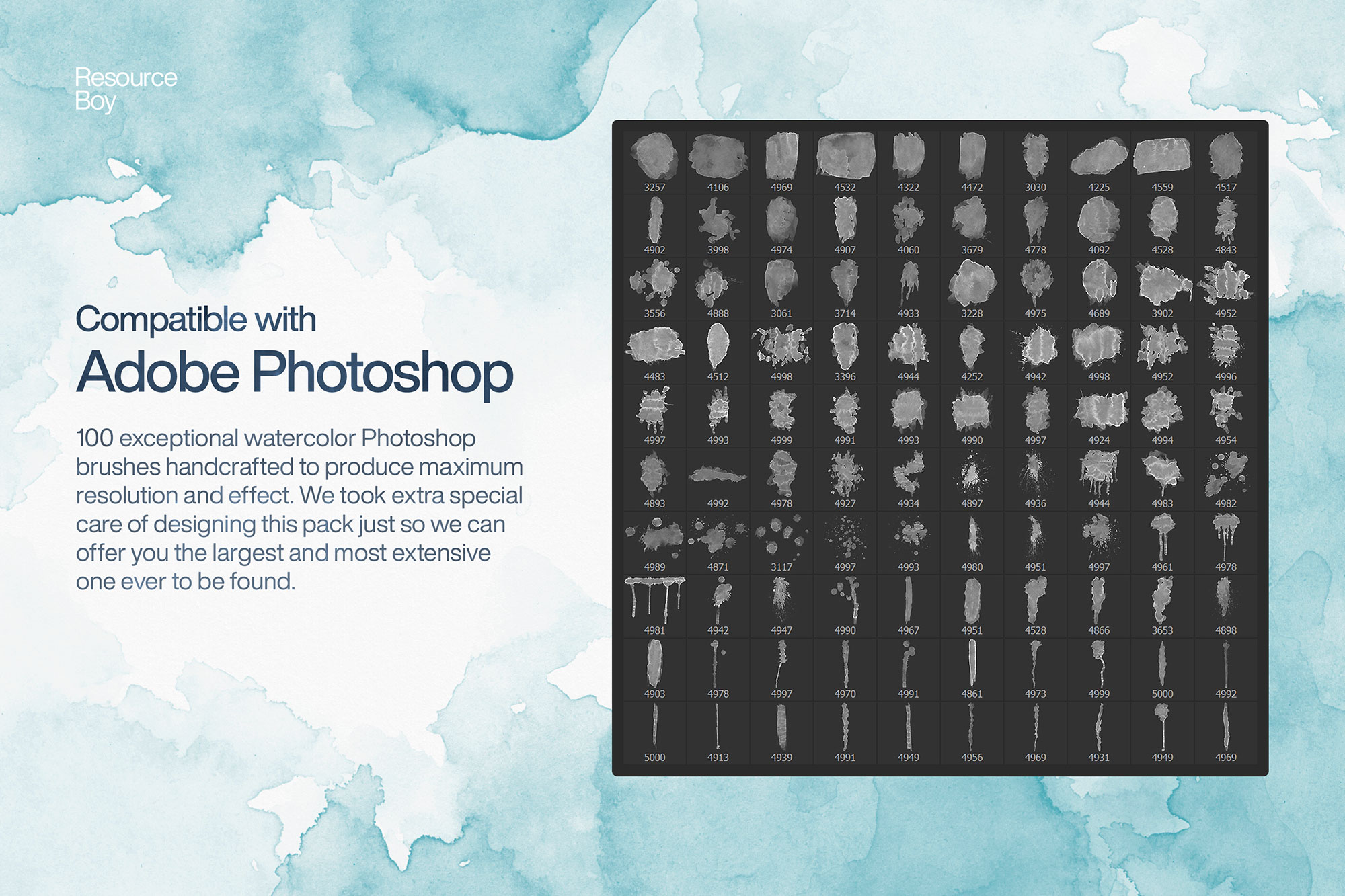
This collection of 100 watercolor Photoshop brushes covers every technique you need for convincing digital watercolor artwork. The set includes flat washes, wet-on-wet blooms, granulated pigment effects, hard bead edges, and dry brush strokes — all captured from real watercolor paper at 2400 DPI. Each brush is sized between 1500px and 4000px, making the set suitable for everything from social media graphics to large-format print. The brushes respond naturally to pressure on a drawing tablet, varying opacity and edge softness exactly as real watercolor does. Licensed for personal and commercial use, making this one of the most versatile free watercolor brush packs available for Photoshop.
Best Uses for These Brushes
- ✓ Wedding invitation design
- ✓ Social media graphics and headers
- ✓ Children's book illustration
- ✓ Greeting card and stationery design
- ✓ Digital fine art and prints
How to Install These Photoshop Brushes
- Download the file — Click the download button above to go to ResourceBoy and download the .ABR file to your computer.
- Open Photoshop — Launch Photoshop (CS5 or later, including all CC versions).
- Import the brushes — Double-click the .ABR file and Photoshop will import it automatically. Or go to the Brushes panel (Window › Brushes), click ☰, and choose "Import Brushes."
- Start creating — Select the Brush Tool (B), open the brush picker, and find your new brushes at the bottom of the list.
Tips for Better Results
- Always paint on a separate layer — never directly on your background. This lets you adjust blend mode, opacity, and position non-destructively.
- Experiment with blend modes like Multiply (for dark textures on light backgrounds), Screen (for light effects on dark), and Overlay (for midtone texture).
- Lower brush opacity to 20–50% and build up multiple strokes for more natural, layered results.
- Use Ctrl/Cmd + Z generously — with Photoshop brushes, experimentation is the fastest path to great results.
- A pressure-sensitive drawing tablet (like a Wacom) dramatically improves results with most brush types, giving you natural opacity and size variation.
Frequently Asked Questions
Is "100 Free Watercolor Photoshop Brushes" really free to download?
Yes — this brush pack is listed as free. The download button on this page links directly to the original source (ResourceBoy) where you can get the .ABR file. License: Free for personal & commercial use.
What Photoshop version do I need to use these brushes?
These brushes are compatible with Photoshop CS5 and all later versions, including Photoshop CC 2024 and 2025. The .ABR format has been stable across Photoshop versions since CS5.
How do I install "100 Free Watercolor Photoshop Brushes" in Photoshop?
After downloading, double-click the .ABR file and Photoshop will automatically import the brushes. Alternatively, open the Brushes panel (Window > Brushes), click the menu icon (☰), choose "Import Brushes," and select your file. The brushes appear instantly in your preset picker.
Can I use these brushes in commercial projects?
License: Free for personal & commercial use. Always verify the license on the source page (ResourceBoy) before using brushes in client or commercial work, as terms can change.